Styling / Outfit Image
Copy the complete prompt, upload your product photo, and use the fix prompts only when the AI changes the product.
About this Workflow
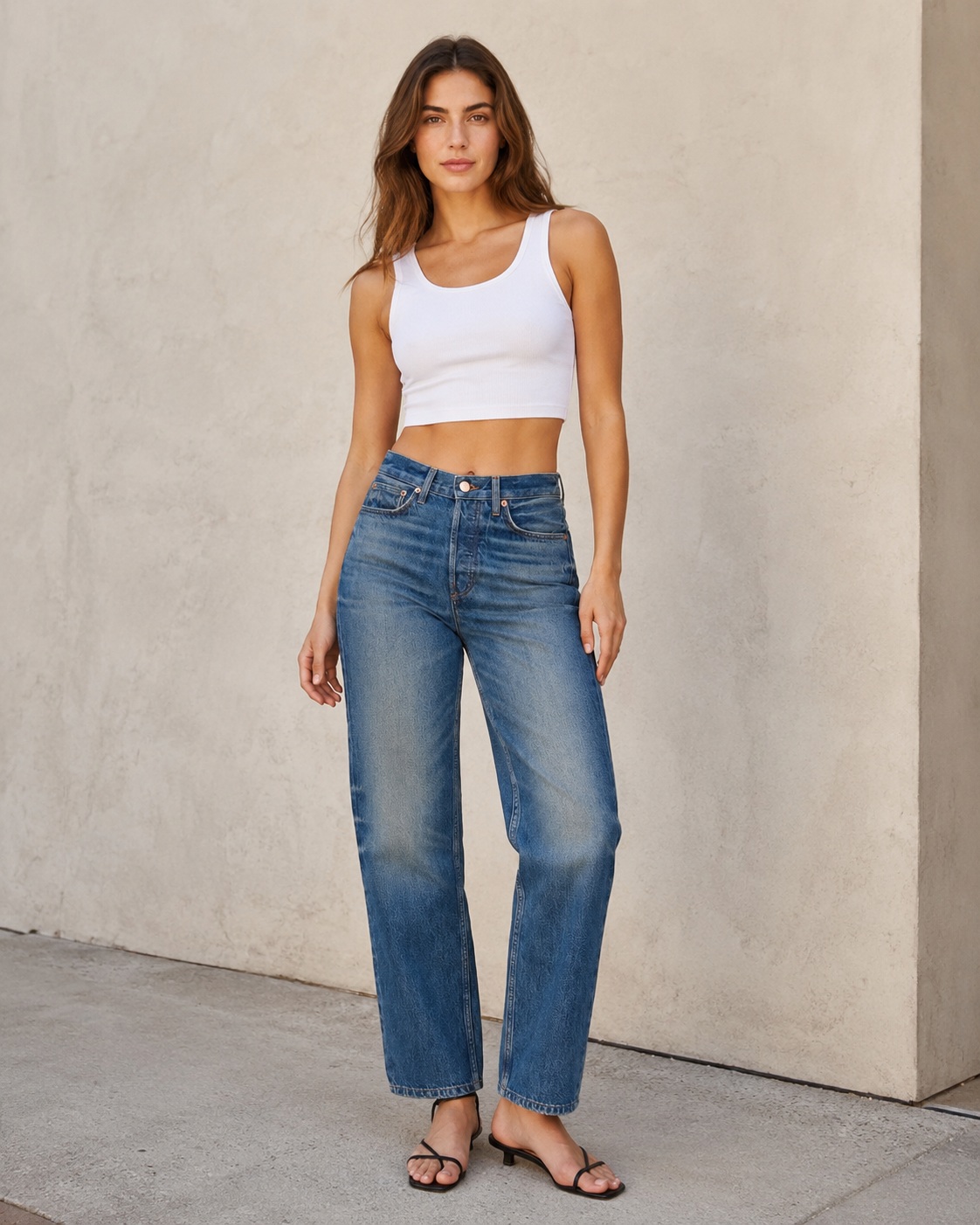
- Transforms an ordinary jeans or pants photo into a professional fit-and-length demonstration image showing how the exact product sits naturally on the body while preserving the original colour or wash, waistband, pockets, belt loops, stitching, seams, fabric texture, hem and proportions.
- Amazon sellers, Shopify stores, denim brands, apparel retailers and marketplace agencies.
- One clear original photo showing the complete jeans or pants, including its true length, silhouette and important construction details.
- A realistic full-length model image that clearly communicates fit, drape and garment length without changing the original design or proportions.
Original photo vs ListingsReady result
Compare the uploaded product reference with the image created using this workflow.

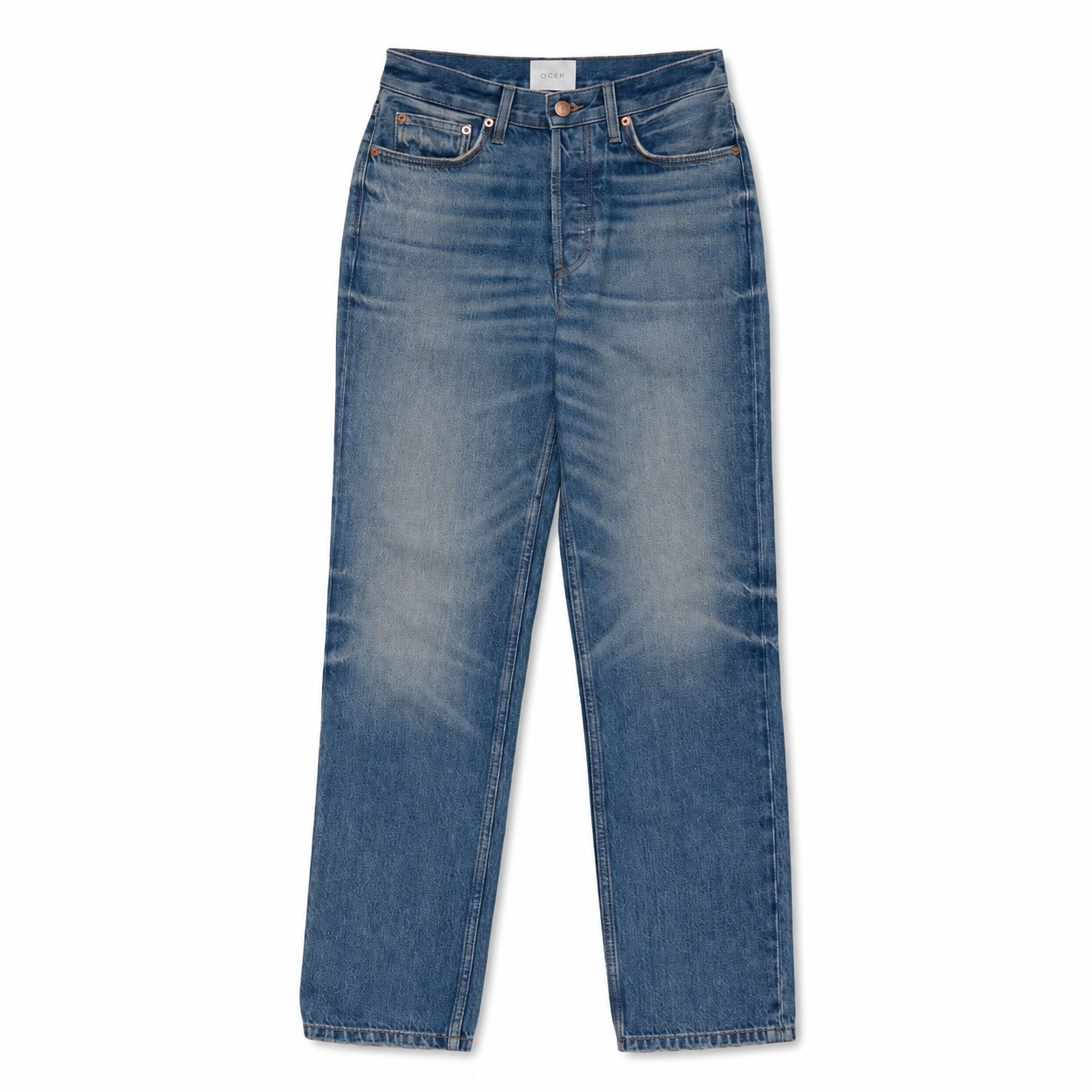
Original product photo
Uploaded reference
ListingsReady result
Click the image to zoom.
Complete Prompt
Using the uploaded jeans or pants image as the only product reference, create an Amazon secondary lifestyle image showing the exact jeans/pants styled in a realistic outfit. Preserve the jeans/pants exactly, including colour, silhouette, waistband, pockets, stitching, fabric texture, denim wash or fabric finish, leg width, taper, hemline, length, logo, labels if visible, and proportions. Style the garment with simple neutral clothing items such as a plain T-shirt, shirt, hoodie, sweater, or minimal shoes, but do not cover the waistband, pocket area, or important garment details. The jeans/pants must remain the hero product and must be clearly visible from waist to hem. Use a clean casual, smart-casual, streetwear, or minimal studio setting with realistic commercial lighting. High-resolution fashion e-commerce photography.
Best AI to Use
ChatGPT Images
Original Image Required
Your own uploaded product photo — this is the only reference used.
Settings in ChatGPT
- Model
- GPT-5.5
- Intelligence
- High
- Mode
- Create an Image
Workflow Testing
- Last tested
- July 2026
- Tested with
- GPT-5.5
- Workflow version
- 1.0
- Typical result
- 1–2 generations
Common Mistakes
- Top clothing covers the waistband
- Pants change style
- Leg shape changes
- Denim wash changes
- Pockets change
- Colour shifts
- Too many accessories distract from product
- Model pose hides the garment
- Scene looks too editorial
- Full garment gets cropped
Fix Prompts
If outfit covers the product
Adjust styling so the waistband, pockets, leg shape, and hemline remain clearly visible.
If scene is too busy
Simplify the outfit and background. Keep the jeans/pants as the main focus.
If product changes
Keep the uploaded jeans/pants identical and change only the styling, model pose, or background.
If leg shape changes
Preserve the exact original leg width, taper, silhouette, and length.
If denim wash changes
Preserve the exact original wash, fade, fabric texture, and colour.
If pockets or waistband change
Restore the original pocket shape, waistband, button, zipper fly, belt loops, and stitching.
If model pose hides the garment
Use a simple standing pose with the full pants visible.
Related Workflows
Explore more image workflows for the same product type.